VelnusTech’s is designed to convert conversations into profitable sales transactions, supercharging your business growth.
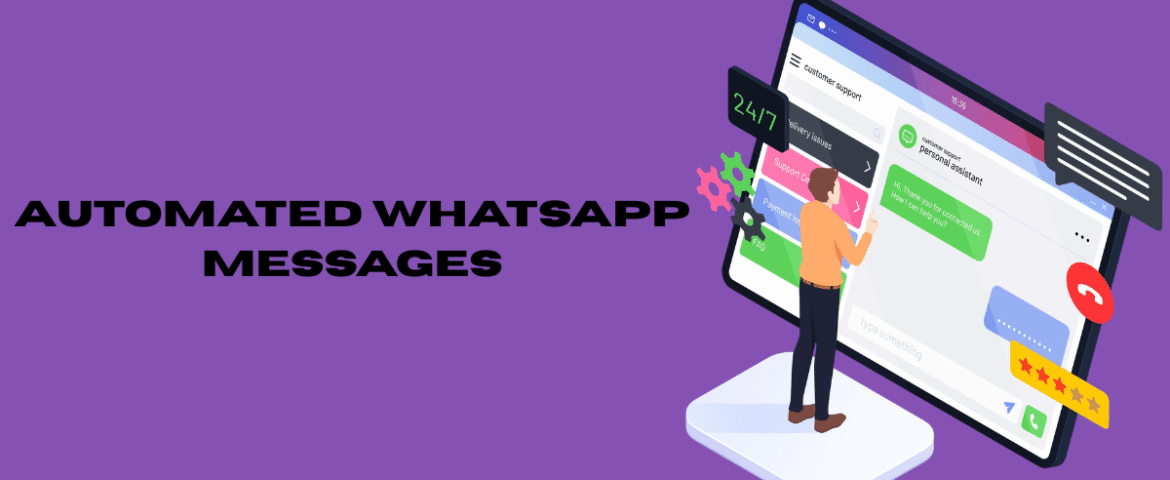
ConsultationWhat Are Automated WhatsApp Messages? Automated WhatsApp messages are pre-configured messages that are sent automatically when specific conditions or events occur. Instead of manually responding to every inquiry, businesses can use automation to instantly reply to customers, share important information, send reminders, and maintain continuous communication. Automation helps save time, improve response speed, and ensure that customers receive accurate information without unnecessary delays. Whether it is a greeting, order update, appointment reminder, or follow-up message, automation creates a more efficient communication process. With increasing customer expectations for instant responses, automated messaging has become an essential part of modern business communication. Why Automated WhatsApp Messages Matter Today’s customers expect immediate replies. Waiting several hours or even minutes can lead to missed opportunities. Automated messaging ensures every customer receives a timely response, regardless of business hours. Some major benefits include: Automation also enables businesses to serve multiple customers simultaneously without compromising communication quality. How Automated WhatsApp Messages Work Automation follows predefined rules or triggers. Whenever a customer performs a specific action, the system automatically sends the appropriate message. Common triggers include: The automation process runs continuously without requiring manual intervention. Types of Automated WhatsApp Messages Welcome Messages Welcome messages are automatically sent when a customer contacts the business for the first time. They create a positive first impression by acknowledging the customer’s message immediately. Example: “Hello! Thank you for reaching out. We’ve received your message and will assist you shortly.” Away Messages Away messages inform customers that responses may be delayed because the business is unavailable. Example: “Thank you for your message. We’re currently unavailable and will respond during our working hours.” Quick Replies Quick replies allow commonly asked questions to be answered instantly using predefined responses. These save time while maintaining consistency. Examples include: Order Confirmation Messages Customers appreciate immediate confirmation after placing an order. Automated confirmations provide reassurance that the request has been received successfully. Typical information includes: Shipping Notifications Shipping updates keep customers informed throughout the delivery process. These messages reduce customer inquiries and improve transparency. Common updates include: Appointment Reminders Businesses that schedule appointments can automatically remind customers before the appointment date. This significantly reduces missed appointments. Payment Reminders Automated payment reminders notify customers before due dates. They help improve payment collection while reducing manual follow-ups. Feedback Requests After completing a service or purchase, businesses can automatically request customer feedback. Feedback helps improve products, services, and overall customer experience. Follow-Up Messages Follow-up messages keep communication active after an interaction. These messages can encourage repeat purchases, answer remaining questions, or provide additional support. Benefits of Automated WhatsApp Messages Saves Time Employees spend less time responding to repetitive questions. Automation handles routine conversations while allowing staff to focus on more complex customer needs. Improves Customer Experience Instant responses create a smoother customer journey. Customers appreciate receiving quick acknowledgments and timely updates. Increases Efficiency Automation manages multiple conversations simultaneously without delays. This improves overall operational efficiency. Enhances Customer Engagement Regular automated communication keeps customers informed and connected. Relevant updates encourage continued interaction. Reduces Human Errors Predefined messages ensure consistent information is shared every time. This minimizes mistakes caused by manual typing. Supports Business Growth As customer inquiries increase, automation can handle larger communication volumes without requiring additional staff. Improves Response Availability Customers receive immediate replies even outside business hours. This creates a better customer experience around the clock. Common Use Cases Businesses use automated WhatsApp messages for various purposes, including: Automation can be adapted to suit almost any communication workflow. Best Practices for Automated WhatsApp Messages Keep Messages Clear Use simple language that is easy to understand. Avoid unnecessary details that may confuse customers. Personalize When Possible Including the customer’s name or relevant information creates a more engaging experience. Personalized communication feels more natural. Respond Quickly Automation is most effective when messages are delivered immediately after the triggering action. Timely communication improves customer satisfaction. Maintain Professional Language Messages should be polite, friendly, and easy to read. Professional communication builds trust. Avoid Message Overload Sending too many automated messages can overwhelm customers. Only send messages that provide genuine value. Test Automation Regularly Review message flows periodically to ensure everything functions correctly. Updating outdated information helps maintain accuracy. Keep Information Updated Business hours, pricing, contact information, and service details should always remain current. Customers rely on accurate information. Mistakes to Avoid Using Generic Messages Messages that sound robotic may reduce customer engagement. Adding personalization improves communication quality. Sending Irrelevant Messages Customers should only receive messages that match their actions or interests. Irrelevant communication may lead to customer frustration. Ignoring Customer Responses Automation should not replace genuine conversations. Customers should always have the opportunity to receive further assistance when needed. Complicated Message Flows Simple automation is easier for customers to understand. Avoid creating confusing conversation paths. Not Monitoring Performance Automation should be reviewed regularly. Monitoring response rates and customer interactions helps improve future messaging. Industries That Benefit from Automated WhatsApp Messages Many industries successfully use automation to improve communication. Examples include: Automation provides value wherever customer communication is important. Tips for Creating Effective Automated Messages Focus on Customer Needs Every automated message should solve a problem or provide useful information. Helpful communication improves customer satisfaction. Keep Messages Short Customers prefer concise messages that communicate important information quickly. Avoid long paragraphs whenever possible. Include Clear Next Steps Tell customers what they should do next. Examples include: Clear guidance improves customer experience. Maintain Consistent Tone Every message should follow the same communication style. Consistency builds familiarity and trust. Review Customer Feedback Customer feedback helps identify opportunities to improve automated conversations. Regular updates make automation more effective over time. Future of Automated WhatsApp Messages Automation continues to evolve with smarter technologies and improved communication tools. Future improvements may include: As customer expectations continue to grow, automation will remain an important part of digital communication strategies. Also Read : WhatsApp Marketing: The Complete Guide to Growing Your Business Conclusion Automated WhatsApp messages have transformed the way businesses communicate with customers by providing instant, consistent, and reliable communication.