VelnusTech’s is designed to convert conversations into profitable sales transactions, supercharging your business growth.
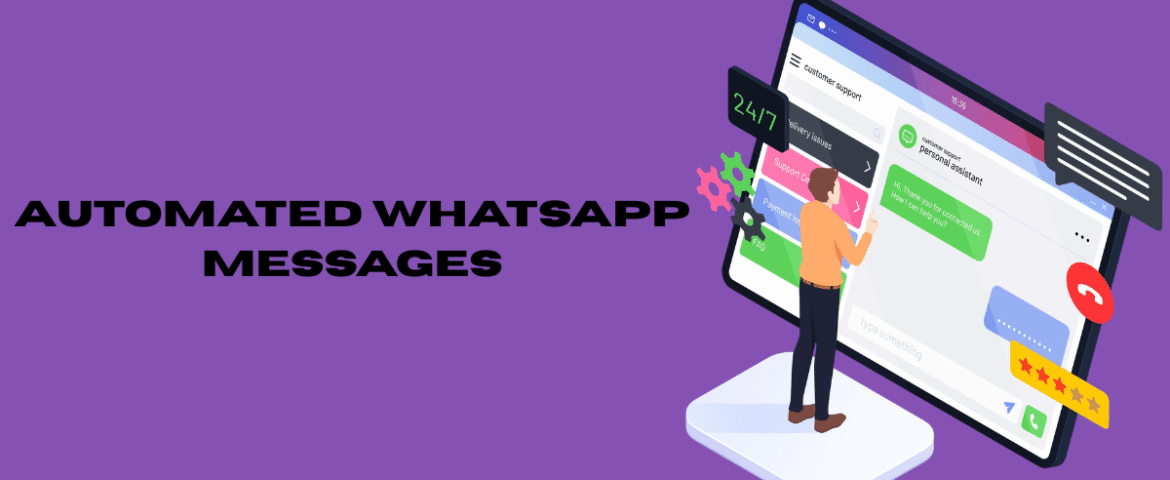
ConsultationWhat Is WhatsApp Chat Automation? WhatsApp Chat Automation is the process of using automated workflows, predefined responses, and intelligent messaging to communicate with customers on WhatsApp without requiring manual intervention for every conversation. It helps businesses respond instantly, streamline communication, and improve customer experiences by handling routine interactions efficiently. Instead of manually answering repetitive questions, automation ensures customers receive immediate and accurate responses based on predefined triggers. Whether it’s welcoming new customers, confirming appointments, sharing order updates, or answering frequently asked questions, WhatsApp Chat Automation simplifies communication while saving valuable time. As customer expectations for instant support continue to rise, chat automation has become an essential solution for businesses looking to provide fast, reliable, and consistent communication. Why WhatsApp Chat Automation Is Important Modern customers expect quick replies and seamless communication. Delayed responses often lead to missed opportunities and lower customer satisfaction. Chat automation helps businesses maintain responsiveness around the clock. Some major advantages include: Automation ensures customers never feel ignored, even during weekends, holidays, or outside business hours. How WhatsApp Chat Automation Works WhatsApp Chat Automation works by following predefined rules and triggers. Whenever a customer performs a specific action, the automation system sends an appropriate response. Common automation triggers include: These workflows operate automatically, reducing repetitive tasks while maintaining smooth communication. Key Features of WhatsApp Chat Automation Instant Automated Replies Customers receive immediate responses after sending a message, ensuring they know their inquiry has been received. Welcome Messages Welcome messages greet new customers and provide helpful information as soon as they start a conversation. Example: “Hello! Thank you for contacting us. We’re happy to assist you today.” Away Messages Away messages notify customers when support is unavailable while assuring them that assistance will be provided during business hours. Frequently Asked Question Responses Automation can instantly answer common customer questions regarding: This significantly reduces support workload. Appointment Reminders Automated reminders help customers remember upcoming appointments, reducing missed bookings. Order Updates Customers appreciate receiving timely notifications throughout the ordering process, including: Payment Notifications Automation can notify customers about successful payments, pending invoices, and upcoming due dates. Follow-Up Messages Follow-up messages help maintain customer engagement after purchases or completed services. These messages may include: Benefits of WhatsApp Chat Automation Saves Valuable Time Automation handles repetitive conversations automatically, allowing staff to focus on higher-value customer interactions. Improves Customer Satisfaction Customers receive immediate replies instead of waiting for manual responses. Fast communication creates a better overall experience. Reduces Human Errors Predefined messages ensure consistent and accurate communication across every conversation. Increases Productivity Support teams can manage significantly more conversations without increasing workload. Enhances Customer Engagement Regular communication keeps customers informed and encourages continued interaction. Supports Business Growth As customer inquiries increase, automation can easily scale to manage higher conversation volumes. Provides Consistent Communication Every customer receives standardized information, ensuring reliable service quality. Common Use Cases WhatsApp Chat Automation is widely used for: Customer Support Provide instant assistance for common questions and service requests. Appointment Scheduling Automatically confirm bookings and remind customers before appointments. Order Management Keep customers informed throughout the purchasing journey. Delivery Notifications Send automatic shipping and delivery updates. Payment Reminders Notify customers before payment deadlines. Customer Onboarding Guide new customers through products or services using automated message sequences. Feedback Collection Request reviews and customer feedback after completing transactions. Marketing Campaigns Share announcements, promotions, and product launches through automated messaging workflows. Event Notifications Automatically remind participants about upcoming events or schedule changes. Best Practices for WhatsApp Chat Automation Keep Messages Simple Use short and clear language that customers can understand easily. Avoid unnecessary technical terms. Personalize Conversations Including customer names or relevant details creates a more engaging experience. Personalized communication feels natural and improves customer satisfaction. Respond Instantly Immediate responses reassure customers that their messages have been received. Automation should activate without unnecessary delays. Use Professional Language Maintain a polite, friendly, and professional tone throughout every conversation. Avoid Excessive Messaging Sending too many automated messages can overwhelm customers. Only send messages that provide value. Regularly Test Automation Review workflows frequently to ensure messages are delivered correctly and contain accurate information. Update Information Business hours, pricing, services, and contact information should always remain current. Mistakes to Avoid Creating Robotic Conversations Automation should sound natural rather than repetitive or mechanical. Friendly language improves customer engagement. Ignoring Customer Intent Automation should recognize different customer needs instead of providing identical responses to every inquiry. Overcomplicating Workflows Simple conversation paths create better customer experiences. Complicated automation often confuses users. Forgetting Human Support Customers should always have the option to speak with a support representative when automation cannot resolve their issue. Failing to Review Performance Regular performance monitoring helps identify opportunities for improvement. Analytics can reveal message effectiveness and customer engagement levels. Tips for Successful WhatsApp Chat Automation Focus on Customer Experience Every automated message should provide useful information or solve a customer problem. Create Clear Conversation Flows Customers should always understand the next step in the conversation. Examples include: Optimize Response Timing Deliver messages immediately after customer actions to maintain engagement. Review Customer Feedback Customer opinions help improve automation quality and communication effectiveness. Continuously Improve Workflows Automation should evolve based on customer behavior and changing business needs. Regular updates ensure long-term effectiveness. Industries That Benefit from WhatsApp Chat Automation Many industries successfully use automation, including: Automation improves communication wherever customer interactions are essential. Future of WhatsApp Chat Automation Automation technology continues to evolve rapidly. Future developments may include: As digital communication continues to grow, WhatsApp Chat Automation will become even more valuable for businesses seeking faster and more personalized customer interactions. Also Read : Top 10 Best WhatsApp API Solutions: A Complete Guide to Choosing the Right One Conclusion WhatsApp Chat Automation has transformed customer communication by delivering instant, reliable, and consistent responses without requiring constant manual effort. From welcome messages and appointment reminders to order updates and follow-up conversations, automation helps businesses improve efficiency while enhancing the customer experience. By implementing well-designed automation workflows, organizations can save time, reduce repetitive tasks, increase productivity, and maintain
Introduction Customer expectations have changed dramatically in recent years. People no longer want to wait on hold for phone support or spend hours waiting for an email response. They expect quick, convenient, and personalized assistance through the communication channels they use every day. WhatsApp has become one of the most preferred messaging platforms for customer communication because of its speed, simplicity, and ease of use. WhatsApp customer support enables businesses to provide real-time assistance, answer customer questions, resolve issues, share updates, and build stronger relationships through a familiar messaging experience. Whether handling product inquiries, order updates, appointment reminders, or technical support, WhatsApp offers a convenient way to improve customer satisfaction. This guide explains everything you need to know about WhatsApp customer support, including its benefits, features, best practices, common use cases, challenges, and tips for delivering exceptional customer service. What Is WhatsApp Customer Support? WhatsApp customer support is the process of assisting customers through WhatsApp. It allows businesses to communicate directly with customers using text messages, images, videos, documents, voice messages, and other supported media formats. Instead of relying only on traditional support channels, businesses can answer questions, solve problems, provide updates, and maintain ongoing conversations in a fast and organized manner. Customers appreciate WhatsApp because it provides a familiar messaging experience while allowing them to communicate from anywhere at any time. Why WhatsApp Is an Excellent Customer Support Channel Customer service is no longer just about solving problems. It is about creating a positive experience throughout the customer journey. WhatsApp helps improve this experience by offering: These advantages make WhatsApp one of the most effective customer support channels available today. Benefits of WhatsApp Customer Support Faster Response Time Customers value quick responses. Using WhatsApp allows support teams to respond almost instantly, reducing waiting time and improving customer satisfaction. Fast communication also helps resolve issues before they become larger problems. Improved Customer Satisfaction Quick and helpful responses create positive customer experiences. Customers appreciate receiving accurate information without unnecessary delays. Satisfied customers are more likely to return and recommend the business to others. Convenient Communication Customers already use WhatsApp daily. Instead of downloading another application or waiting on hold, they can simply send a message and continue the conversation whenever convenient. Personalized Conversations Support teams can provide customized assistance based on customer needs. Personalized communication helps customers feel valued and improves overall engagement. Better Customer Engagement Regular communication helps maintain stronger customer relationships. Businesses can answer questions, provide updates, and offer assistance throughout the customer journey. Cost-Effective Support Messaging often requires fewer resources than traditional support channels. Support teams can manage multiple conversations simultaneously, increasing efficiency. Rich Media Communication WhatsApp supports multiple content formats, including: Visual communication helps explain information more clearly. Essential Features of WhatsApp Customer Support Instant Messaging Customers receive quick responses through real-time messaging. This creates a smoother support experience. Automated Greetings Welcome messages acknowledge customer inquiries immediately. This reassures customers that their messages have been received. Away Messages When support is unavailable, away messages inform customers about expected response times. This helps manage expectations. Quick Replies Frequently asked questions can be answered using predefined responses. Quick replies save time while maintaining consistency. File Sharing Support teams can share important documents, invoices, guides, manuals, and other files directly through WhatsApp. Chat Organization Customer conversations can be organized for easier management. Well-organized chats improve productivity and reduce confusion. Multi-Device Access Support teams can collaborate by managing conversations from multiple devices where supported. This improves team efficiency. Common Uses of WhatsApp Customer Support Businesses use WhatsApp for many customer support activities. These include: Answering Customer Questions Customers often ask about: WhatsApp provides an easy way to answer these questions quickly. Order Updates Customers appreciate receiving updates throughout the order process. Common updates include: Appointment Management Businesses can confirm appointments, send reminders, and notify customers about schedule changes. This helps reduce missed appointments. Technical Assistance Support teams can guide customers through troubleshooting steps using text, screenshots, videos, or documents. Complaint Resolution Customers can explain their concerns directly through WhatsApp. Support teams can resolve issues efficiently while maintaining a clear conversation history. Feedback Collection Businesses can request customer feedback after completing a purchase or service. Customer feedback helps improve future support experiences. Best Practices for WhatsApp Customer Support Respond Promptly Fast responses improve customer satisfaction and demonstrate reliability. Be Friendly and Professional Maintain a polite, respectful, and helpful tone throughout every conversation. Professional communication builds trust. Personalize Conversations Whenever possible, address customers by name and provide responses relevant to their specific inquiries. Personalized communication creates a better customer experience. Keep Messages Simple Avoid long paragraphs. Short, clear messages are easier to understand. Use Rich Media Sometimes an image or short video explains a solution better than text. Visual communication improves clarity. Organize Conversations Keeping chats organized helps support teams respond efficiently. Well-managed conversations reduce delays. Follow Up After resolving an issue, checking whether the customer needs additional assistance demonstrates excellent customer service. Tips for Improving Customer Service Through WhatsApp Understand Customer Needs Listen carefully before responding. Understanding the customer’s concern helps provide accurate solutions. Provide Accurate Information Incorrect information creates confusion and reduces customer confidence. Always verify details before responding. Stay Consistent Use consistent communication across all customer interactions. Consistency improves professionalism. Encourage Feedback Customer feedback identifies strengths and opportunities for improvement. Monitor Performance Review response times, customer satisfaction, and conversation quality regularly. Continuous improvement leads to better support. Challenges of WhatsApp Customer Support High Message Volume As businesses grow, managing increasing numbers of conversations becomes challenging. Efficient workflows help maintain response quality. Maintaining Fast Responses Customers expect quick replies. Delays may reduce customer satisfaction. Managing Complex Issues Some problems require detailed investigation. Support teams should communicate clearly while working toward a solution. Consistency Across Conversations Every customer should receive the same level of service. Standardized communication helps maintain consistency. Keeping Information Updated Support information should always remain accurate and current. Regular reviews help prevent outdated responses. Mistakes to Avoid Ignoring Customer Messages Delayed responses may lead to customer frustration. Always
What Is a WhatsApp API? A Best WhatsApp API is a communication solution that enables businesses to send and receive WhatsApp messages at scale. Unlike the standard WhatsApp application, an API allows businesses to automate conversations, manage customer interactions, integrate with existing systems, and handle multiple chats efficiently. It is designed for businesses that require reliable, secure, and scalable messaging to improve customer communication. Why Use a WhatsApp API? A WhatsApp API helps businesses communicate with customers faster while improving efficiency and customer satisfaction. Key benefits include: Features of the Best WhatsApp API Fast Message Delivery A quality WhatsApp API delivers messages quickly, ensuring customers receive important updates without delays. Automation Automation allows businesses to send welcome messages, appointment reminders, order updates, follow-ups, and notifications automatically. Multi-User Access Multiple team members can manage customer conversations from a single platform, improving collaboration and response speed. CRM Integration The best WhatsApp API integrates with CRM systems to keep customer information organized and improve communication workflows. Chat Management Businesses can organize conversations, assign chats to team members, and monitor customer interactions efficiently. Rich Media Support A WhatsApp API supports sending: Rich media improves communication and customer engagement. Broadcast Messaging Businesses can send important announcements or promotional messages to multiple customers simultaneously while maintaining message quality. Real-Time Notifications Automated notifications help customers stay informed with updates such as: Secure Communication The best APIs provide secure messaging to protect customer information and maintain reliable communication. Benefits of Using the Best WhatsApp API Improves Customer Support Customers receive faster responses, reducing waiting times and increasing satisfaction. Saves Time Automation handles repetitive tasks, allowing teams to focus on complex customer requests. Increases Productivity Employees manage more conversations in less time with organized chat management and automation. Boosts Customer Engagement Quick responses and personalized communication encourage stronger customer relationships. Reduces Manual Work Routine tasks such as confirmations, reminders, and follow-ups are handled automatically. Supports Business Growth As customer inquiries increase, a scalable WhatsApp API can handle higher message volumes without compromising performance. Important Features to Look For Easy Integration Choose an API that integrates smoothly with your existing software and business tools. Reliable Performance Consistent uptime and fast message delivery are essential for uninterrupted communication. Automation Capabilities Look for features such as: Analytics Performance reports help businesses understand: Scalability The API should support increasing customer conversations as your business grows. User-Friendly Dashboard A simple interface helps teams manage conversations efficiently without extensive training. Common Use Cases Businesses use WhatsApp APIs for: Customer Support Provide instant assistance and resolve customer queries quickly. Lead Generation Capture inquiries and engage potential customers efficiently. Appointment Scheduling Automatically confirm appointments and send reminders. Order Updates Notify customers about order confirmation, shipping, and delivery status. Payment Notifications Send payment reminders and confirmations automatically. Feedback Collection Request customer reviews after completing purchases or services. Marketing Campaigns Share product launches, special offers, and important announcements with customers. Customer Onboarding Guide new customers through products or services with automated welcome messages. Best Practices Respond Quickly Fast replies improve customer satisfaction and increase engagement. Personalize Messages Use customer names and relevant information whenever possible. Keep Messages Short Clear and concise messages are easier to read and understand. Send Relevant Information Only send messages that provide value to the customer. Monitor Performance Review messaging reports regularly to improve communication strategies. Update Automated Messages Keep information accurate by reviewing message templates periodically. Mistakes to Avoid Sending Too Many Messages Excessive messaging may reduce customer engagement. Ignoring Customer Replies Automation should complement human support, not replace it completely. Using Confusing Language Simple communication improves customer understanding. Poor Workflow Design Well-organized automation creates a better customer experience. Failing to Test Integrations Regular testing helps prevent delivery issues and communication errors. How to Choose the Best WhatsApp API When selecting a WhatsApp API, consider the following factors: Choosing a solution that aligns with your communication goals ensures better long-term results. Future of WhatsApp APIs Messaging technology continues to evolve with advanced automation and smarter communication features. Future improvements may include: As businesses continue adopting conversational communication, WhatsApp APIs will remain an essential tool for customer engagement. Also Read : Automated WhatsApp Messages: The Complete Guide to Smarter Customer Communication Conclusion A high-quality WhatsApp API enables businesses to communicate faster, automate repetitive tasks, improve customer satisfaction, and manage conversations efficiently. From customer support and order updates to appointment reminders and marketing campaigns, a reliable API helps streamline communication while saving valuable time. By selecting an API with strong automation, security, scalability, and integration capabilities, businesses can build better customer relationships and support long-term growth. Frequently Asked Questions (FAQs) Q1. What is a WhatsApp API? A WhatsApp API is a messaging solution that allows businesses to automate and manage customer conversations at scale. Q2. Why should businesses use a WhatsApp API? It improves customer communication, automates repetitive tasks, increases efficiency, and supports business growth. Q3. Can a WhatsApp API send automated messages? Yes. It can send welcome messages, reminders, order confirmations, notifications, and follow-up messages automatically. Q4. Is a WhatsApp API suitable for small businesses? Yes. Businesses of all sizes can use a WhatsApp API to improve communication and customer support. Q5. Can multiple users manage chats? Yes. Most WhatsApp APIs support multiple users handling customer conversations simultaneously.
What Are Automated WhatsApp Messages? Automated WhatsApp messages are pre-configured messages that are sent automatically when specific conditions or events occur. Instead of manually responding to every inquiry, businesses can use automation to instantly reply to customers, share important information, send reminders, and maintain continuous communication. Automation helps save time, improve response speed, and ensure that customers receive accurate information without unnecessary delays. Whether it is a greeting, order update, appointment reminder, or follow-up message, automation creates a more efficient communication process. With increasing customer expectations for instant responses, automated messaging has become an essential part of modern business communication. Why Automated WhatsApp Messages Matter Today’s customers expect immediate replies. Waiting several hours or even minutes can lead to missed opportunities. Automated messaging ensures every customer receives a timely response, regardless of business hours. Some major benefits include: Automation also enables businesses to serve multiple customers simultaneously without compromising communication quality. How Automated WhatsApp Messages Work Automation follows predefined rules or triggers. Whenever a customer performs a specific action, the system automatically sends the appropriate message. Common triggers include: The automation process runs continuously without requiring manual intervention. Types of Automated WhatsApp Messages Welcome Messages Welcome messages are automatically sent when a customer contacts the business for the first time. They create a positive first impression by acknowledging the customer’s message immediately. Example: “Hello! Thank you for reaching out. We’ve received your message and will assist you shortly.” Away Messages Away messages inform customers that responses may be delayed because the business is unavailable. Example: “Thank you for your message. We’re currently unavailable and will respond during our working hours.” Quick Replies Quick replies allow commonly asked questions to be answered instantly using predefined responses. These save time while maintaining consistency. Examples include: Order Confirmation Messages Customers appreciate immediate confirmation after placing an order. Automated confirmations provide reassurance that the request has been received successfully. Typical information includes: Shipping Notifications Shipping updates keep customers informed throughout the delivery process. These messages reduce customer inquiries and improve transparency. Common updates include: Appointment Reminders Businesses that schedule appointments can automatically remind customers before the appointment date. This significantly reduces missed appointments. Payment Reminders Automated payment reminders notify customers before due dates. They help improve payment collection while reducing manual follow-ups. Feedback Requests After completing a service or purchase, businesses can automatically request customer feedback. Feedback helps improve products, services, and overall customer experience. Follow-Up Messages Follow-up messages keep communication active after an interaction. These messages can encourage repeat purchases, answer remaining questions, or provide additional support. Benefits of Automated WhatsApp Messages Saves Time Employees spend less time responding to repetitive questions. Automation handles routine conversations while allowing staff to focus on more complex customer needs. Improves Customer Experience Instant responses create a smoother customer journey. Customers appreciate receiving quick acknowledgments and timely updates. Increases Efficiency Automation manages multiple conversations simultaneously without delays. This improves overall operational efficiency. Enhances Customer Engagement Regular automated communication keeps customers informed and connected. Relevant updates encourage continued interaction. Reduces Human Errors Predefined messages ensure consistent information is shared every time. This minimizes mistakes caused by manual typing. Supports Business Growth As customer inquiries increase, automation can handle larger communication volumes without requiring additional staff. Improves Response Availability Customers receive immediate replies even outside business hours. This creates a better customer experience around the clock. Common Use Cases Businesses use automated WhatsApp messages for various purposes, including: Automation can be adapted to suit almost any communication workflow. Best Practices for Automated WhatsApp Messages Keep Messages Clear Use simple language that is easy to understand. Avoid unnecessary details that may confuse customers. Personalize When Possible Including the customer’s name or relevant information creates a more engaging experience. Personalized communication feels more natural. Respond Quickly Automation is most effective when messages are delivered immediately after the triggering action. Timely communication improves customer satisfaction. Maintain Professional Language Messages should be polite, friendly, and easy to read. Professional communication builds trust. Avoid Message Overload Sending too many automated messages can overwhelm customers. Only send messages that provide genuine value. Test Automation Regularly Review message flows periodically to ensure everything functions correctly. Updating outdated information helps maintain accuracy. Keep Information Updated Business hours, pricing, contact information, and service details should always remain current. Customers rely on accurate information. Mistakes to Avoid Using Generic Messages Messages that sound robotic may reduce customer engagement. Adding personalization improves communication quality. Sending Irrelevant Messages Customers should only receive messages that match their actions or interests. Irrelevant communication may lead to customer frustration. Ignoring Customer Responses Automation should not replace genuine conversations. Customers should always have the opportunity to receive further assistance when needed. Complicated Message Flows Simple automation is easier for customers to understand. Avoid creating confusing conversation paths. Not Monitoring Performance Automation should be reviewed regularly. Monitoring response rates and customer interactions helps improve future messaging. Industries That Benefit from Automated WhatsApp Messages Many industries successfully use automation to improve communication. Examples include: Automation provides value wherever customer communication is important. Tips for Creating Effective Automated Messages Focus on Customer Needs Every automated message should solve a problem or provide useful information. Helpful communication improves customer satisfaction. Keep Messages Short Customers prefer concise messages that communicate important information quickly. Avoid long paragraphs whenever possible. Include Clear Next Steps Tell customers what they should do next. Examples include: Clear guidance improves customer experience. Maintain Consistent Tone Every message should follow the same communication style. Consistency builds familiarity and trust. Review Customer Feedback Customer feedback helps identify opportunities to improve automated conversations. Regular updates make automation more effective over time. Future of Automated WhatsApp Messages Automation continues to evolve with smarter technologies and improved communication tools. Future improvements may include: As customer expectations continue to grow, automation will remain an important part of digital communication strategies. Also Read : WhatsApp Marketing: The Complete Guide to Growing Your Business Conclusion Automated WhatsApp messages have transformed the way businesses communicate with customers by providing instant, consistent, and reliable communication.
Bulk WhatsApp messaging has become one of the most effective communication methods for businesses looking to connect with a large audience quickly and efficiently. With billions of active users worldwide, WhatsApp offers a familiar platform where customers are more likely to read and respond to messages compared to traditional communication channels. Whether the goal is promoting products, sharing updates, sending reminders, or delivering important announcements, bulk messaging allows organizations to reach thousands of recipients in a matter of minutes. When used responsibly and with customer consent, it helps build stronger relationships, improve engagement, and increase conversion rates. Unlike mass emails that often remain unopened or SMS messages with limited content, WhatsApp supports rich media such as images, videos, PDFs, buttons, and links. This creates more engaging conversations and delivers a better customer experience. What Is Bulk WhatsApp Messaging? Bulk WhatsApp messaging is the process of sending the same message to multiple recipients simultaneously. It enables businesses to distribute information efficiently without manually messaging every individual contact. These messages can include: Modern bulk messaging solutions also support personalized messages by inserting customer-specific details such as names, order numbers, appointment dates, or custom recommendations. Why Businesses Prefer WhatsApp for Bulk Messaging Customers spend significant time on WhatsApp every day, making it one of the most accessible communication platforms available. Messages often receive faster attention than emails, allowing businesses to engage users more effectively. Some major advantages include: High Message Open Rates WhatsApp messages are typically opened within minutes after delivery. This helps businesses communicate important information without long delays. Faster Customer Engagement Customers can instantly reply, ask questions, or request additional information. This two-way communication improves customer satisfaction. Multimedia Support Businesses can send: Rich content makes messages more attractive and informative. Cost-Effective Communication Sending bulk WhatsApp messages can reduce communication costs compared to traditional marketing channels while reaching a wider audience. Global Reach Businesses can communicate with customers across different cities and countries using a single platform. Benefits of Bulk WhatsApp Messaging Bulk messaging provides several advantages that help organizations improve communication and marketing performance. Improve Customer Engagement Customers appreciate receiving timely and relevant information directly on their preferred messaging platform. Personalized communication creates stronger relationships. Increase Sales Opportunities Businesses can instantly promote: Timely promotions encourage customers to make purchasing decisions faster. Save Time Instead of contacting customers individually, businesses can deliver messages to thousands of recipients in just a few clicks. Better Customer Retention Regular communication keeps customers informed about new services, updates, and exclusive offers, encouraging repeat business. Build Brand Awareness Consistent messaging helps customers remember products, services, and important announcements. Improve Customer Support Bulk messaging can provide: This reduces confusion while improving customer satisfaction. Popular Uses of Bulk WhatsApp Messaging Bulk messaging supports various communication needs across different industries. Promotional Campaigns Businesses frequently announce: Event Invitations Bulk messages make it easy to invite customers to: Appointment Reminders Organizations can reduce missed appointments by sending reminders before scheduled meetings. Order Updates Customers appreciate receiving notifications about: Payment Reminders Businesses can remind customers about upcoming or overdue payments without making individual phone calls. Customer Feedback After completing a purchase or service, businesses can request reviews and customer feedback through WhatsApp. Educational Campaigns Educational institutions and training providers can share: Features That Make Bulk WhatsApp Messaging Powerful Modern messaging platforms include several useful features. Personalized Messages Instead of sending generic content, businesses can personalize each message with customer information. Examples include: Personalization improves engagement and response rates. Scheduled Messaging Messages can be scheduled in advance for specific dates and times, ensuring timely delivery. Contact Segmentation Customers can be grouped based on: This allows more targeted communication. Message Templates Pre-approved templates help businesses maintain consistency while sending frequently used notifications. Analytics and Reporting Performance reports provide valuable insights such as: These insights help optimize future campaigns. Rich Media Support Businesses can send attractive content that includes images, videos, brochures, product catalogs, and documents. Best Practices for Successful Bulk WhatsApp Messaging Following best practices ensures better engagement and customer satisfaction. Obtain Customer Permission Always communicate with customers who have agreed to receive messages. Permission-based communication builds trust. Keep Messages Short Customers prefer concise and easy-to-read messages. Avoid unnecessary information. Personalize Communication Using customer names and relevant information makes messages feel more personal. Send Valuable Content Every message should provide useful information rather than constant promotions. Choose the Right Timing Avoid sending messages during late-night or inconvenient hours. Deliver communications when customers are most likely to respond. Avoid Message Overload Sending excessive messages may lead customers to ignore future communications. Maintain a balanced messaging frequency. Include a Clear Call to Action Encourage recipients to: Clear instructions improve customer responses. Types of Businesses That Benefit from Bulk WhatsApp Messaging Bulk messaging is suitable for organizations of all sizes. Retail Stores Retail businesses can promote: Healthcare Providers Healthcare organizations can send: Educational Institutions Schools and training centers can communicate: Restaurants Restaurants can announce: Travel Services Travel businesses can share: Real Estate Real estate professionals can distribute: Service Providers Businesses offering professional services can keep customers informed with reminders, maintenance schedules, and important notifications. Common Mistakes to Avoid Many businesses reduce campaign effectiveness by making avoidable mistakes. Sending Unwanted Messages Unsolicited messages may reduce customer trust and engagement. Ignoring Personalization Generic messages often receive lower response rates. Overusing Promotional Content Balance promotional messages with educational and helpful information. Poor Audience Segmentation Sending irrelevant messages to the wrong audience decreases engagement. Long Messages Lengthy messages discourage customers from reading the complete content. Inconsistent Communication Irregular messaging reduces customer awareness and engagement. How to Improve Bulk WhatsApp Campaign Performance Small improvements can significantly increase campaign success. Segment Your Audience Group customers according to their interests and preferences. Use Attractive Visuals Images and videos capture attention more effectively than plain text. Test Different Messages Experiment with different headlines, content styles, and calls to action. Monitor Performance Review campaign reports regularly to identify successful strategies. Focus on Customer Value Helpful content consistently outperforms repetitive promotional messages. Bulk WhatsApp Messaging for Customer
What is WhatsApp Marketing? WhatsApp marketing is a communication strategy that uses WhatsApp to connect with customers, promote products or services, provide support, send updates, and build long-term relationships. With billions of active users worldwide, WhatsApp has become one of the most effective messaging platforms for businesses that want direct and personalized communication. Unlike traditional marketing channels, WhatsApp enables real-time conversations. Messages are delivered instantly, allowing businesses to interact with customers in a more engaging and convenient way. From sharing promotional offers to answering customer queries, WhatsApp marketing creates a seamless communication experience. The platform supports text messages, images, videos, PDFs, voice notes, product catalogs, and interactive buttons, making it a versatile marketing tool for businesses of all sizes. Why WhatsApp Marketing is Important Customer expectations have changed significantly over the years. People prefer quick responses, personalized communication, and convenient support. WhatsApp fulfills these expectations by offering a familiar and user-friendly platform. Some major reasons why WhatsApp marketing has become important include: Businesses that communicate effectively through WhatsApp often experience stronger customer loyalty and better conversion rates. Benefits of WhatsApp Marketing High Open Rates WhatsApp messages are generally opened much faster than emails or SMS. This allows businesses to deliver important information quickly. Instant Customer Communication Customers can receive updates, ask questions, and get immediate responses without waiting for long email replies. Personalized Customer Experience Businesses can send personalized messages based on customer interests, previous purchases, or inquiries, creating a more meaningful interaction. Multimedia Support WhatsApp supports: This makes marketing campaigns more engaging than plain text messages. Improved Customer Support Customers appreciate fast assistance. Businesses can resolve queries, handle complaints, and provide after-sales support directly through WhatsApp. Cost-Effective Marketing Compared to many advertising channels, WhatsApp marketing requires relatively low investment while offering excellent engagement. Better Customer Retention Regular communication helps businesses stay connected with existing customers, increasing repeat purchases and long-term loyalty. How WhatsApp Marketing Works WhatsApp marketing begins by obtaining customer consent before sending messages. Businesses should always communicate with users who have voluntarily agreed to receive updates. The typical workflow includes: Building a Contact List Collect customer phone numbers through: Always ensure customers provide permission before messaging them. Segmenting Your Audience Not every customer has the same interests. Organizing contacts into groups improves message relevance. Examples include: Segmentation improves engagement and reduces unnecessary messaging. Creating Valuable Content Effective WhatsApp marketing focuses on delivering value rather than constant promotions. Useful content includes: Sending Messages at the Right Time Timing plays an important role in customer engagement. Avoid sending messages: Choose times when customers are more likely to read and respond. Types of WhatsApp Marketing Campaigns Promotional Campaigns Promotional campaigns inform customers about: Lead Generation Campaigns Businesses can capture potential customers by encouraging users to request information or inquire about services. Customer Support Campaigns Support messages improve customer satisfaction by providing: Feedback Campaigns Customer opinions help improve products and services. Businesses can request: Event Marketing WhatsApp is useful for promoting: Reminder Campaigns Reminder messages help customers remember: Features That Make WhatsApp Marketing Effective Rich Media Messaging Businesses can share attractive content through: Visual content usually performs better than plain text. Quick Replies Frequently asked questions can be answered quickly using predefined responses, saving time and improving efficiency. Automated Responses Automation allows businesses to: Automation ensures customers receive immediate responses even outside working hours. Labels and Contact Organization Contacts can be organized using labels for better management and faster follow-up. Broadcast Messaging Broadcast messages allow businesses to send updates to multiple customers individually without creating group conversations. Interactive Buttons Interactive buttons simplify customer actions by allowing them to: Best Practices for WhatsApp Marketing Obtain Customer Consent Always receive permission before sending marketing messages. Respecting customer preferences builds trust and complies with communication standards. Personalize Every Message Use customer names and tailor content according to their interests whenever possible. Keep Messages Short People prefer concise and easy-to-read messages. Avoid lengthy paragraphs. Provide Value Every message should offer something useful, such as: Avoid Excessive Messaging Sending too many promotional messages may cause customers to ignore future communications or unsubscribe. Use High-Quality Images Professional visuals improve customer engagement and increase the effectiveness of marketing campaigns. Include Clear Calls-to-Action Encourage customers to take action using simple instructions such as: Common WhatsApp Marketing Strategies Product Announcements Inform customers whenever new products or services become available. Exclusive Offers Reward subscribers with special discounts available only through WhatsApp. Customer Education Share educational content that helps customers understand products, services, or industry trends. Seasonal Promotions Plan campaigns around holidays, festivals, and shopping seasons. Limited-Time Offers Create urgency by promoting offers available for a short duration. Loyalty Programs Reward repeat customers with exclusive promotions and early access to new products. Abandoned Inquiry Follow-Up Reconnect with potential customers who previously expressed interest but did not complete their purchase or inquiry. Content Ideas for WhatsApp Marketing Businesses can regularly share: Educational Tips Provide useful information related to your industry. Product Demonstrations Show how products work through short videos or images. Customer Success Stories Share real experiences that highlight positive outcomes. Behind-the-Scenes Content Offer customers a glimpse into product creation, daily operations, or company culture without revealing confidential information. Polls and Surveys Ask customers for opinions to encourage interaction. Frequently Asked Questions Answer common questions proactively to reduce support requests. Common Mistakes to Avoid Sending Messages Without Permission Unsolicited messaging can damage customer trust and reduce engagement. Ignoring Customer Responses WhatsApp is designed for conversations. Respond promptly to customer inquiries. Overloading Customers Sending too many promotional messages may lead customers to stop engaging. Poor Quality Content Low-quality images, unclear messages, and spelling mistakes reduce professionalism. Inconsistent Communication Long periods without communication followed by excessive messaging create an inconsistent customer experience. Not Segmenting Contacts Sending identical messages to every customer often results in lower engagement. Measuring WhatsApp Marketing Performance Successful campaigns should be measured regularly. Key performance indicators include: Message Delivery Rate Measures how many messages successfully reach customers. Open Rate Indicates how many recipients view your messages. Response Rate Shows how many